Google Ads Scam Ads: 7 Ways to Check Before You Click
By AdUncovered
Updated 27 October 2026
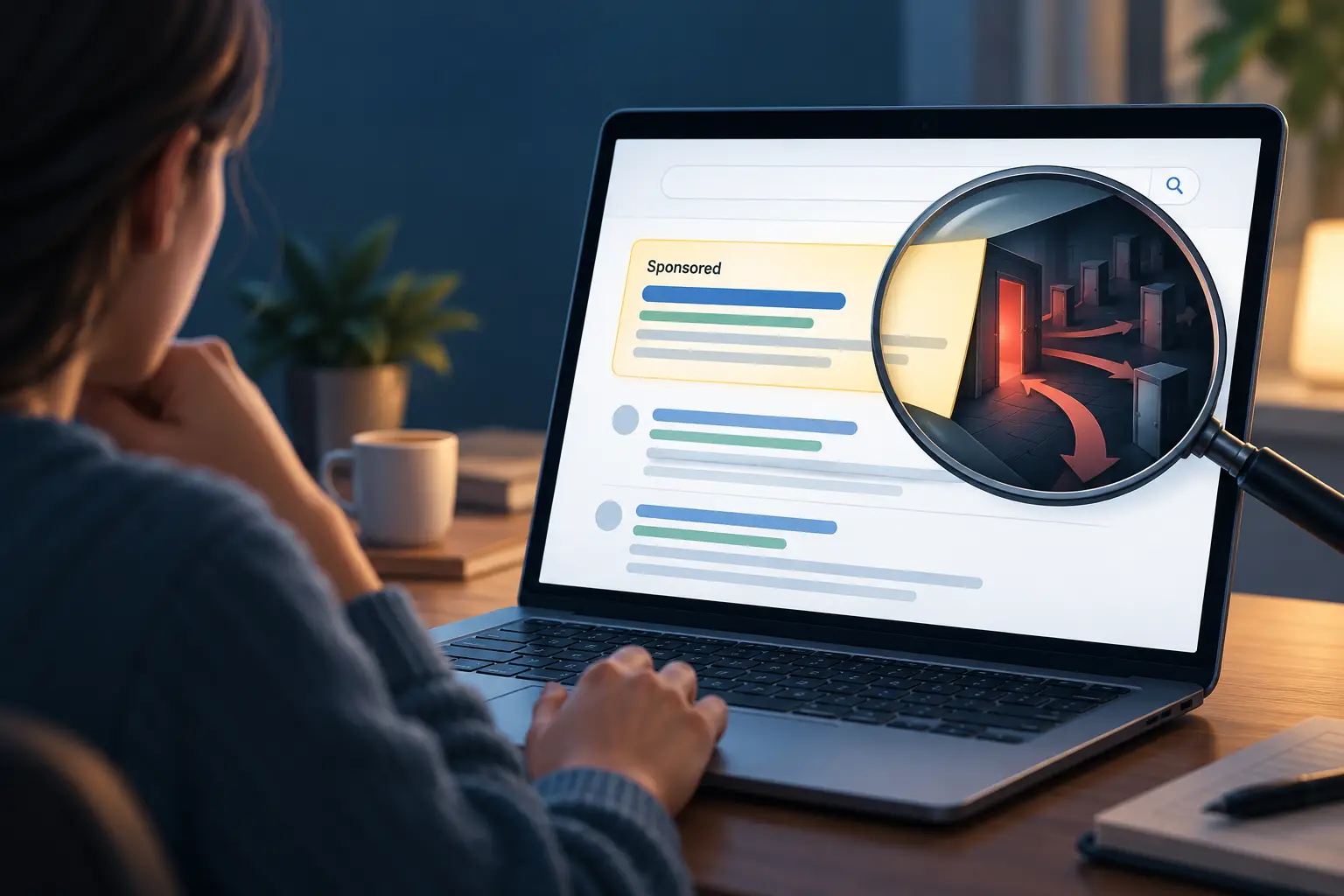
When you search for a bank, software download, crypto wallet or customer-service number, the first result may be a paid advertisement. Its position can make it look like the obvious answer. Its “Sponsored” label tells you that it is an advertisement. It does not tell you that the advertiser is the company you searched for or that the destination is safe.
If you’ve already been scammed, start with our quick guide: What to Do Immediately After Being Scammed.
Google Ads scam ads do exist, but that doesn’t mean every sponsored result is fraudulent. Google reviews ads and verifies many advertisers, yet those measures cannot guarantee that every ad is legitimate. Security researchers documented malicious Google search campaigns during 2026, including fake software downloads and wallet phishing. In one case, researchers found a malicious ad under an advertiser profile Google marked as verified. Verification can help identify who an account claims to represent; it cannot prove that a particular ad, account or landing page is safe.
This guide explains what Google says it checks, what recent investigations found, how to lower the risk and what to do if you have already clicked.
What does “Sponsored” actually tell you?
“Sponsored” tells you that the result is an advertisement. It does not mean Google endorses the seller, guarantees the product or recommends that you trust the page. Paid placement is not a safety certificate.
Attackers can purchase search ads that appear for the name of a business or service. An ad may copy a genuine brand, use a lookalike web address or send you through redirects before you reach a different site. Criminals may also take over a legitimate advertiser’s account. In that case, the verified account holder may not be the person currently controlling the campaign.
The U.S. Federal Trade Commission warned in 2026 that dishonest companies use paid search ads to imitate businesses and government services, including bill-payment channels. Its guidance is not South African law, but the basic consumer advice is relevant: don’t assume a paid result or the phone number in it is official. Find the organization’s website or contact details independently.
How Google Ads scam ads get past review
Google says ads are automatically reviewed when an advertiser creates or edits them. The review covers ad text and assets, keywords and the destination website. Ads that pass can be marked “Eligible” and run; ads Google identifies as policy violations are disapproved.
In its 2026 report on 2025 enforcement, Google said that most Responsive Search Ads were being reviewed instantly by the end of 2025, with harmful content blocked at submission. Other ad formats may have different review timing.
Google also describes ongoing enforcement. It says its systems analyze hundreds of billions of signals, including account age, behaviour and campaign patterns. The company says it processes user reports to address threats that slip through. These details come from Google’s own account of its systems; they are not an independent audit of how accurately every ad is screened.
A successful review means that an ad passed Google’s checks at that time. It does not mean that a person has proved the business is honest, that every redirect is harmless or that the destination will remain unchanged. Websites and advertiser accounts can be compromised, campaigns can change, and malicious operators can try to show different content to reviewers and ordinary visitors.
Advertiser verification is not proof that an offer is safe
Google’s advertiser verification asks advertisers for information about themselves or their organization. Depending on the account and circumstances, tasks can include identity or business documents. Verified advertiser details may appear in the ad disclosure and Google’s Ads Transparency Center.
Google’s current policy describes verification as a gradual rollout. Advertisers are notified when they need to complete verification tasks; the policy says all advertisers will eventually be required to do so. Verification may be prompted by suspicious activity or particular industries. Because the rollout is gradual, not every advertiser has been asked to verify yet. Google also says it uses best efforts to review submitted information but does not guarantee or assume responsibility for an advertiser’s content or activity.
Even a legitimately verified account can be abused. In September 2026, Zscaler ThreatLabz described a campaign targeting Ledger hardware-wallet users. Researchers said the malicious ads appeared under a Google-verified advertiser profile and that the account may have been compromised. The ads led through Google-hosted and other legitimate infrastructure to a fake Ledger page asking people for their wallet recovery phrase.
This is a documented case, not evidence that verified ads are commonly malicious. It does show why a verification label should be treated as one clue about an advertiser, not a guarantee about a particular ad or link.
Google has also added stricter financial-services checks in some regions. In June 2026 it announced expanded regulatory verification for financial advertisers across the EU and EEA. In October it said comparable checks were planned for the United States and Canada in early 2027. These measures are regional. They do not mean that every advertiser or financial ad worldwide has passed a regulator-authorization check.
What researchers found in 2026
The cases below show ways malicious ads can exploit trust. They are examples of investigated campaigns, not estimates of how many Google ads are scams.
Fake Claude Code download ads
In March 2026, Bitdefender reported a Google ad impersonating Claude Code. The ad led to fake documentation resembling the real site. It showed different installation instructions for Windows and macOS, including commands that could install malware if followed.
Bitdefender said the campaign likely abused a compromised advertiser account. That is a qualified assessment, not a confirmed explanation of exactly how the account was accessed.
The risk is not limited to fake login pages. A site that looks like technical documentation may persuade someone to copy a command into their computer. Don’t run commands from an ad destination unless you have independently confirmed the instructions on the software maker’s official site.
A verified-profile ad impersonating Ledger
Zscaler’s September 2026 investigation found ads targeting Ledger users. The click path used services including Google Cloud Storage, Vercel and Google Sites before displaying a phishing page that asked for a secret recovery phrase. Zscaler said the ad appeared under a verified advertiser profile and suggested the established account may have been compromised.
Never enter a crypto wallet recovery phrase into a website, form or support chat. Anyone who obtains it may be able to control the wallet, and crypto transfers can be difficult or impossible to reverse.
Redirect chains and cloaking
In October 2026, BleepingComputer reported on a campaign that Push Security called “Adception.” A Google search ad used a Bing click-tracking URL, then redirected through a compromised retailer’s WordPress site to a fake Claude download page.
The campaign used cloaking: visitors who opened the malicious site directly were sent to a 404 error page, which also made it harder for security scanners to analyse, while selected visitors arriving from search could see malicious content. The report said the final payload was not known at publication, so it would be inaccurate to claim that this campaign’s final malware was confirmed.
In February 2026, Varonis separately described a service called 1Campaign that attackers could use to show harmless pages to reviewers and security scanners while showing phishing or crypto-drainer content to selected visitors. This documented evasion method helps explain why a destination may look harmless in one inspection and dangerous in another.
How large is the problem?
Google’s 2025 Ads Safety Report, published in April 2026, says the company blocked or removed more than 8.3 billion ads and suspended 24.9 million advertiser accounts globally during 2025. Google says 602 million ads and 4 million accounts were associated with scams, and that its systems caught more than 99% of policy-violating ads before they served.
These are Google-reported global totals. They are not an independent count of all scam ads, a count of unique victims or a measure of the chance that any one ad is fraudulent. The “over 99%” figure reflects Google’s own definition and measurement of policy-violating ads; it is not a guarantee that users will never encounter a harmful ad. Google says it acts on reports because some threats still slip through.
Security-research reports confirm that malicious campaigns have appeared in sponsored search. They do not, by themselves, establish what proportion of ads are malicious or how likely an individual searcher is to be harmed. Both things can be true: Google can block a very large volume of harmful ads, and some can still reach users and cause real damage.
How to spot Google Ads scam ads
You don’t need to stop using search engines. Add a check before trusting a result, especially when you might pay, log in, install software or disclose a recovery phrase.
- Go directly to a known organization’s website. Use a saved bookmark, official app, address on a statement or card, or another source you already trust. This is especially useful for banks, bill payments, government services, customer support and software downloads.
- Read the entire web address. A familiar name in the ad headline is not enough. Look for misspellings, extra words, unusual domain endings and hosting domains unrelated to the organization. A padlock or HTTPS connection means the connection is encrypted; it does not prove the site is honest.
- Pause if a click takes you through unexpected redirects. If it passes through several unrelated domains, close the page and find the service independently. Legitimate businesses can use tracking links, so a redirect alone doesn’t prove a scam; it’s a reason to verify the final destination.
- Verify phone numbers independently. Don’t trust a number simply because it appears in a sponsored result. Find it in the official app, on a card or statement, or on a website you reached independently. Be wary of unexpected callers asking for passwords, one-time codes, remote access or a transfer to a “safe” account.
- Never run a command supplied by an ad page. Download software from the vendor’s official website or app store and get instructions from its documentation. Don’t paste commands into Terminal or PowerShell just because a page describes them as installation or verification steps.
- Protect secrets that cannot be reset. Don’t enter a crypto recovery phrase or private key into an ad-linked page or disclose it to a caller. Don’t share passwords or one-time codes. A recovery phrase can give someone control of a wallet; treat it like the wallet itself.
- Check advertiser details, but don’t treat them as a guarantee. Google’s My Ad Center and Ads Transparency Center can provide information about advertisers and their ads. An unfamiliar name or mismatch is a reason to investigate. A verified name does not prove that the ad’s destination or current campaign is safe.
When the stakes are high, skip the ad and use the organization’s independently confirmed website. This reduces your reliance on a paid placement.
What to do if you already clicked a scam ad
Opening a page does not automatically mean your device or account has been compromised. What you should do next depends on what you shared or downloaded.
- If you entered a password: Go to the real service independently, change the password and sign out other sessions if possible. Change it anywhere else you reused it. Turn on multifactor authentication, preferably a passkey or security key if available.
- If you shared a one-time code or approved a sign-in: Contact the service through its official app or independently verified support channel immediately. Review active sessions, recovery details and recent account changes.
- If you entered bank details or sent money: Contact your bank immediately using the number on your card or in the official app. Ask about securing access, blocking payments and whether a recall or dispute is possible. Report the incident to the relevant local authorities.
- If you exposed a crypto recovery phrase: Treat the wallet as compromised. From a clean device, create a new wallet with a new phrase and move any remaining assets promptly, following the wallet maker’s genuine guidance. Don’t give the phrase to anyone offering recovery help.
- If you ran a command or downloaded a file: If you suspect active compromise, stop using the device for sensitive accounts and seek trusted device-security help. Change important credentials from a separate, clean device.
- Report the ad: Use the ad’s menu to report it to Google. If it’s safe, save the search term, ad text, advertiser disclosure, destination URL, date and screenshots. That information may help the platform, service provider, bank or investigators.
In South Africa, notify your bank immediately if money or banking credentials are at risk. ISPA’s 2026 online-crime guidance says victims should report online crime at a police station, request an investigation and keep the CAS reference number. It also points people wishing to flag suspicious online activity to the national Cybersecurity Hub. ISPA is an industry association, not law enforcement; use SAPS channels for a criminal complaint.
For crypto, contact the wallet provider through its genuine website or app. Don’t expect it to recover a phrase that has already been disclosed. Don’t pay an upfront fee to a “recovery agent”; that may be a second scam.
What this means for advertisers and small businesses
Scam ads can harm the businesses being impersonated. A brand may have no connection to the ad, advertiser or destination. If customers report a fake sponsored result, record the search, ad, advertiser disclosure and final destination. Report the ad through Google and alert the impersonated business using independently verified contact details.
Businesses that advertise should protect their Google accounts with strong, unique credentials, phishing-resistant multifactor authentication where possible, limited user access and prompt review of account changes.
The takeaway
Google reviews ads, uses automated and human enforcement, verifies advertisers in a growing set of circumstances and removes harmful campaigns. Yet 2026 investigations show that fraudulent ads can get through, exploit redirects and compromised accounts, and sometimes appear under a verified advertiser profile.
The accurate rule is neither “Google checks every ad, so it is safe” nor “every sponsored result is a scam.” A paid result is an ad, not an endorsement. Verify the destination independently before logging in, paying, downloading software or sharing anything that could give someone access to your money or accounts.
Sources and date notes
The dated reports below were published in 2026. Google Help and My Ad Center are live policy pages, not dated 2026 publications; their current wording was checked on 27 October 2026. They are included as primary sources for Google’s present process, not as evidence of a new 2026 policy announcement. The campaign reports describe specific investigations, not how common scam ads are.
- Google, “Gemini is stopping harmful ads before people ever see them”, 16 April 2026. Google’s description of its 2025 enforcement figures and review systems.
- Google Ads Help, Advertiser verification, live policy page checked 27 October 2026. The page does not state its publication or update date.
- Google, “Expanding financial advertiser verification across Europe”, 23 June 2026.
- Google, “Expanding our defenses against financial scam ads”, 20 October 2026. Announces a planned U.S. and Canada rollout for early 2027.
- Bitdefender Labs, “Windows and macOS Malware Spreads via Fake ‘Claude Code’ Google Ads”, 11 March 2026.
- Zscaler ThreatLabz, “Threat Actors Use Google Ads To Target Ledger Users”, 25 September 2026.
- BleepingComputer, “Hackers abuse Google Ads, Bing redirects to push Claude ClickFix attacks”, 9 October 2026, reporting on Push Security research.
- Varonis Threat Labs, “1Campaign: A New Cloaking Platform Helping Attackers Abuse Google Ads”, 24 February 2026.
- U.S. Federal Trade Commission, “Searching online: bill pay impersonators”, August 2026. U.S. consumer guidance and an enforcement example.
- Google My Ad Center Help, About advertiser verification, live help page checked 27 October 2026. The page does not state its publication or update date.
- Internet Service Providers’ Association (ISPA), How to Report Online Crime in South Africa, published in 2026. Its page describes SAPS reporting steps and points to the Cybersecurity Hub. ISPA notes that a separate, more detailed advisory was updated in 2022; this article uses only the 2026 page’s reporting guidance.
Geographic scope: The campaigns described by researchers targeted specified countries or regions, not necessarily South Africa. These examples do not establish how many South Africans have seen scam ads. The safety checks are broadly useful, but verification and reporting rules differ by country.
Check before you pay
About to pay a seller or business you don’t know? Start with a Free Quick Check of the advert link. It screens for common warning signs and shows where each result came from.
If you need the seller researched, a Quick Report or Comprehensive Report brings together source-linked Search Results on the seller and the offer. Neither gives a verdict: you check the sources and decide for yourself.