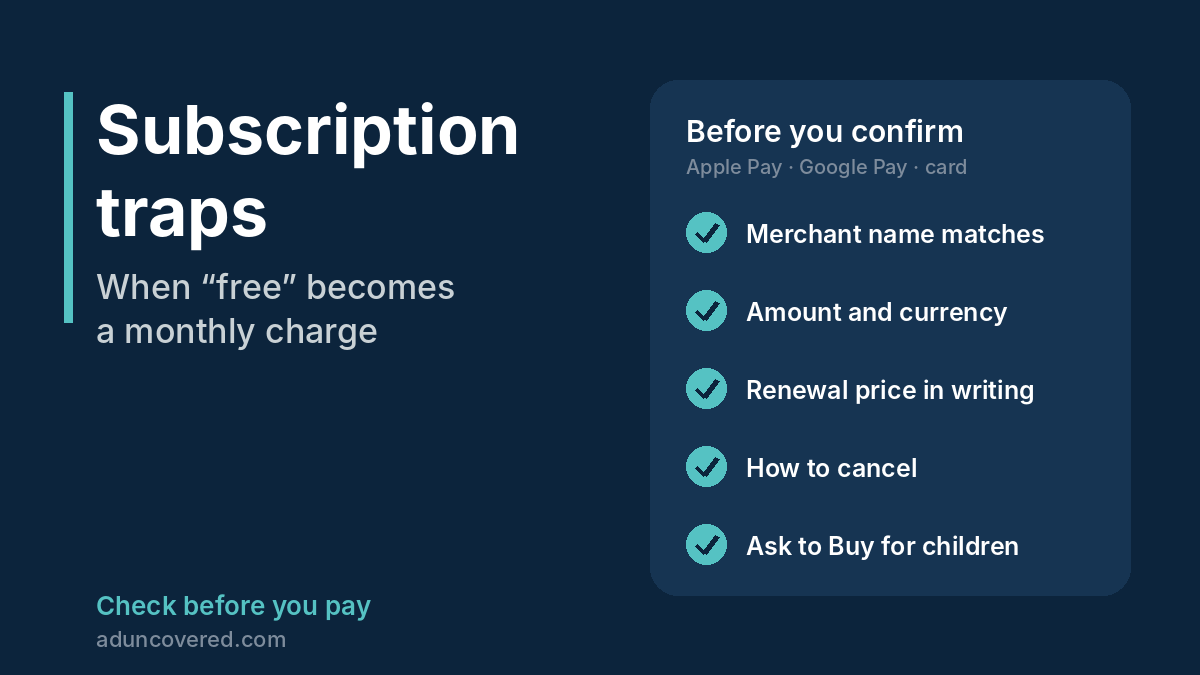
Subscription traps turn a “free” app, trial or game offer into a charge you never clearly agreed to, often through a saved card, Apple Pay, Google Pay, a debit order or your airtime. Before you confirm a payment, check the merchant name and the amount on the payment screen, look for the renewal price in writing, and find out how to cancel before you sign up. If you have already been charged, contact your bank’s fraud team the same day and keep screenshots.
These checks are for shoppers in South Africa and worldwide. Your rights and dispute routes depend on where you live and how you paid.
My US$49.99 “free” heart monitor
Our founder spent years on the IT payments side at a major South African bank. She checks for hidden recurring charges every time. It still happened to her.
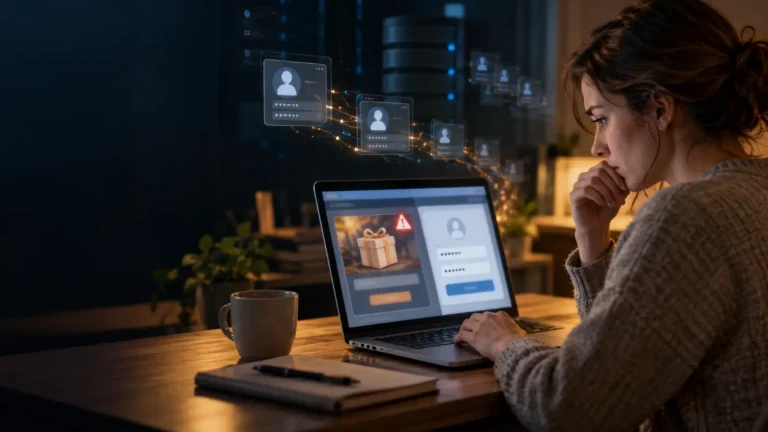
In March 2026 a Facebook advert offered a free heart-rate check. The link opened a web page styled like the App Store, complete with Apple logos and a “free” heart-rate test. “It truly looked like a free app,” she says. “There was no visible recurring charge. I always check for these.”
The page asked her to confirm with Apple Pay, the familiar double-click of the side button. On 3 March 2026 at 18:56 her phone recorded an approved payment of US$49.99 to pulse-boost.com. In Apple Wallet the charge showed only as “Private_Debit”.
There was no subscription to cancel. Nothing appeared under her Apple subscriptions, and the app was never in the App Store. She reported the payment to her bank’s fraud team, which stopped further charges from the merchant. The money came back within 14 days.
Her dispute email is worth copying. You will find it under “Already charged? What to do” below.
What subscription traps look like
- A “free” app, test, trial or quiz that still asks for your card, Apple Pay or Google Pay.
- An “app” download page that is not inside the official App Store or Google Play.
- The renewal price, billing period or cancellation steps are missing, greyed out or in tiny print.
- A pre-ticked box that signs you up for “membership”, “VIP” or “premium”.
- A trial for R1, $1 or similar that converts to a much higher monthly charge.
- “Subscribe and save” offers where the discount disappears after the first delivery.
- Cancellation only by phone, by post or through a page you cannot find.
- A charge on your statement under a name you do not recognise.
Large companies are not exempt. In September 2025 Amazon agreed to pay US$2.5 billion to settle a US Federal Trade Commission case alleging that customers were signed up for Prime without clear consent and that Prime was “intentionally difficult to cancel”. Amazon did not admit wrongdoing.
Why Apple Pay and saved-card charges slip through
Our founder explains why charges like hers are hard to notice, and harder to dispute:
- Statement names are abstract. A merchant can appear as “Private_Debit” or a short code instead of the name on the advert.
- Your card number is replaced by a device token. That protects your card, but the payment looks like any other Apple Pay or Google Pay purchase, so a strange charge blends into everyday digital spending.
- Small charges arrive fast and often, so one more line item is easy to miss.
- Several parties are involved: the seller, the payment app, the card network and your bank. That can turn a dispute into a runaround.
“Cryptic billing names and dispute runarounds,” she says. “That is exactly what these sellers count on.”
When the bill lands on the parent
Children are an easy target for subscription traps, because the card behind the device usually belongs to an adult.
- Game currencies hide the real price. In January 2025 the maker of Genshin Impact agreed to pay US$20 million to settle a US Federal Trade Commission complaint that its multiple in-game currencies obscured how much real money players were spending. It must now stop children under 16 buying loot boxes without parental consent. The company did not admit wrongdoing.
- Pressure aimed at children. In March 2025 Europe’s consumer protection network published principles for in-game virtual currencies, including clear real-money prices and taking children’s vulnerability into account. In a separate case it raised concerns about a children’s game that urged children to buy, or to ask adults to buy, under time-limited pressure.
- Airtime that disappears. Adverts in free games can lead to “content services” billed to a phone account. South Africa’s industry code says these subscriptions must not be intentionally targeted at children under 18, but the charges still land on the parent’s phone bill.
In our founder’s family, a child’s activity on a shared device once did more than run up app fees. It opened a way in to a family member’s work laptop, and hackers reached private company information. The bank picked it up and sent breach notices, and the accounts were recovered without major damage. The exact download or click was never pinned down. That is the point: on a shared device, you often never find out.
Afterwards the family gave the children their own devices, tightened the family setup, switched on Apple’s Ask to Buy and linked each child’s account as a separate account under the parents’ accounts. The recurring app fees stopped.
Parental controls that work
iPhone and iPad: Ask to Buy
With Family Sharing, each child needs their own Apple Account. On your own device:
- Open Settings and tap Family.
- Tap your child’s name.
- Tap Apps & Websites, then Restrictions.
- Tap Ask to Buy and turn on Require Purchase Approval.
Your child then needs your approval to download an app or make an in-app purchase. Apple switches Ask to Buy on by default for children, depending on their age and country.
Android: Google Family Link
- Open the Family Link app and select your child.
- Tap Controls, then Google Play.
- Under Purchases & download approvals, tap Require approval for.
- Choose All content, Paid content only or In-app purchases only.
Google says approvals only cover purchases made through Google Play’s billing system, and do not cover non-prepaid subscriptions. A game or website that takes a card directly is not covered, so keep cards off children’s devices.
Airtime: block content services in South Africa
The Wireless Application Service Providers’ Association (WASPA) lists these ways to stop and block subscriptions billed to airtime:
- Vodacom: SMS STOP ALL to 31050, or dial *135#, then Next > Services > Content Services > Stop All > Block. The Vodacom app also lists active subscriptions.
- MTN: dial *141*5# to view or cancel subscriptions, and *155# to block premium-rated charges.
- Cell C: dial *133*1# to block all existing and future content billing.
- Telkom: in the Telkom app, go to My Products > Manage > Protect Your Mobile Number, or dial 180.
You can also reply STOP, END, CANCEL or UNSUBSCRIBE to any SMS about a content subscription.
The habits behind the settings
- One device per child, and no work on a device children use.
- No saved card on a child’s account. Use vouchers or a parent-approved family payment method.
- Look through the family purchase history together once a month.
Five habits that catch charges early
- Read the payment screen before you confirm. On Apple Pay or Google Pay, check the merchant name and the amount, not only the product.
- Turn on instant notifications for every card transaction in your banking app.
- Review your App Store or Google Play purchase history regularly. Our founder checks hers often.
- Check recent transactions in your phone wallet, not only your monthly statement.
- Stop Apple Pay opening from the lock screen. Go to Settings > Wallet & Apple Pay and turn off Double-Click Side Button. Then check Settings > Face ID & Passcode (or Touch ID & Passcode) > Allow Access When Locked, and switch off anything you do not need there.
A separate card, or a virtual card with a low limit, for online subscriptions also limits the damage if something slips through.
Already charged? What to do
- Act the same day. Contact your bank’s fraud team on the number on your card or in your banking app, not a number from an email or the seller’s website.
- Ask the bank to block further charges from that merchant and, if needed, to replace your card.
- Collect evidence: a screenshot of the transaction, the advert, the payment page and any emails.
- Cancel in writing if there is a real subscription, and keep proof.
- Report it. Our guide How to Report a Scam in South Africa lists who to contact.
Our founder’s email to her bank’s fraud team, which led to a refund within 14 days, makes a good template:
“I am reporting an unauthorised transaction on my account. Merchant name: [as shown on your statement]. Payment method: [Apple Pay / card]. Transaction date: [date]. Amount: [amount]. I did not download this app, activate any subscription, or authorise this payment. The app is advertised as free and there is no active subscription reflected under my subscriptions. I request that this transaction be investigated and disputed, that the amount be reversed if confirmed as fraud, and that any further transactions from this merchant be blocked. I have attached a screenshot of the transaction as it appears on my statement. Please confirm receipt and advise on the next steps.”
Your rights in South Africa
- Online purchases: the Electronic Communications and Transactions Act gives a 7-day cooling-off period for many electronic transactions.
- Fixed-term contracts: under section 14 of the Consumer Protection Act you can cancel at any time with 20 business days’ notice in writing. The supplier may charge a reasonable cancellation penalty.
- Debit orders: since 13 April 2026 you have 60 calendar days to dispute a debit order through your bank. The Payments Association of South Africa says reversals are “neither automatic nor guaranteed”, so contact the supplier and your bank quickly.
- Airtime charges: contact your network first, then WASPA if the charge is not resolved.
Elsewhere
In most countries your card issuer can dispute an unauthorised card payment, but time limits apply. In the United Kingdom, new subscription rules start in January 2027, including reminders before a free trial turns into a paid subscription and a new cooling-off period after a trial ends.
Where AdUncovered fits
Before you enter card details on a page you reached from an advert, run the link through our Free Quick Check. It checks the website address against known-threat lists and addresses other people have reported. Most new sites are not on any list yet, so a clear result is one check, not reassurance. To have the seller researched properly, including its terms and the business behind it, order a Quick Report. If a shopping account has already been misused, read Your Store Account Is a Wallet.
Check before you pay
About to pay a seller or business you don’t know? Start with a Free Quick Check of the advert link. It screens for common warning signs and shows where each result came from.
If you need the seller researched, a Quick Report or Comprehensive Report brings together source-linked Search Results on the seller and the offer. Neither gives a verdict: you check the sources and decide for yourself.
Sources
- Claims Journal / Bloomberg: Amazon, FTC reach $2.5 billion deal in Prime subscription case (25 Sep 2025)
- Claims Journal / Bloomberg: Video game maker paying $20 million in FTC case (Genshin Impact, Jan 2025)
- Lewis Silkin: EU bodies act against gaming companies to protect children from in-game purchases (26 Mar 2025)
- Apple Support: Approve what kids buy and download with Ask to Buy
- Google: Purchase approvals on Google Play
- WASPA: Losing airtime?
- WASPA Code of Conduct, version 17.10
- Payments Association of South Africa: debit order dispute FAQ (2026)
- Consumer Protection Act, section 14
- Michalsons: Consumer protection in electronic transactions (ECT Act and CPA)
- Latham & Watkins: UK subscription contract requirements accelerated to January 2027 (14 Sep 2026)