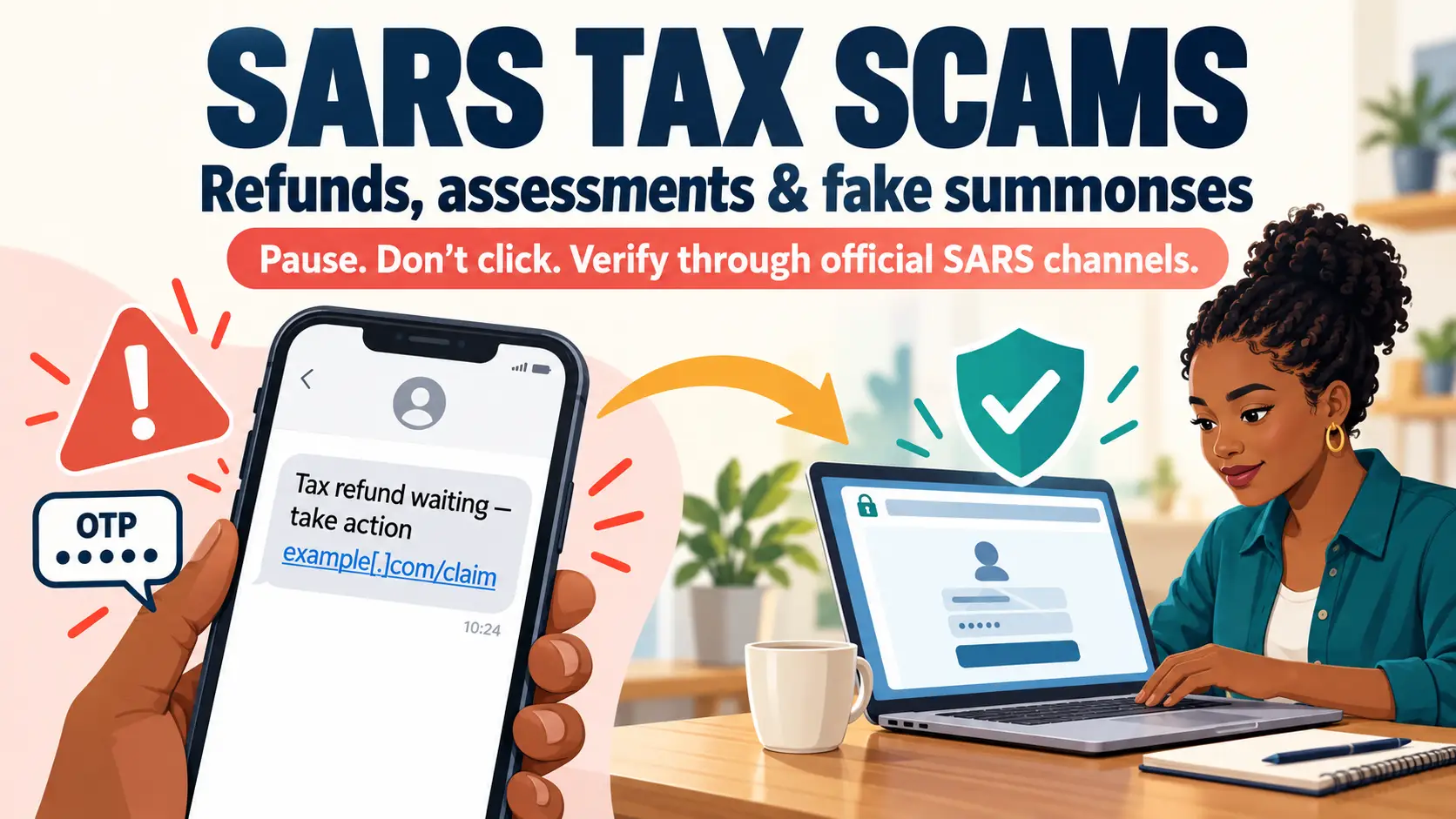
A SARS refund scam starts with good news: a message claiming that SARS owes you a refund. That can be tempting. A notice saying you owe tax, or that a summons has been issued, can be frightening. Scammers exploit both reactions to get people to click links, disclose personal information or make payments.
SARS has warned about current scam messages covering all three themes: tax refunds, notices of assessment and summonses. The wording and delivery method can change, so a message that looks polished or uses a familiar SARS logo is not proof that it is genuine. SARS scam and phishing alerts
In July 2026, SARS warned of a new wave of SMS and email messages telling people they were due a tax refund, in one case R48,900, and sending them to a fake website to “claim” it. SARS scam alert, July 2026
How the SARS refund scam works
1. The message creates a reason to act
A message arrives by SMS, email or another channel. It may claim that:
- You are owed a tax refund and must claim it quickly.
- SARS has issued a new assessment or needs you to confirm your details.
- You have unpaid tax, a “final demand” or a summons.
- Your refund is being delayed, or your account will face consequences unless you act.
The message may use SARS branding, official-sounding language, a case number, a deadline or a specific rand amount. SARS has warned that scammers are using AI to create professional-looking emails, so spelling and appearance alone are not reliable ways to judge a message. SARS refund scam warning
2. The message directs you to a fake page or attachment
The message may contain a link to a site resembling SARS eFiling, or attach a document that contains a link. A summons-themed scam reported by SARS, for example, used a PDF letter linking to a fraudulent phishing website. SARS summons scam alert
The fake page may ask you to enter information such as your ID or tax number, eFiling username and password, banking details, card details or an OTP.
3. The scammers use what they collect
Stolen details can be used to access accounts, attempt unauthorised transactions, impersonate you or target you with further scams. SARS also warns of tax-related identity fraud, including cases where criminals use a taxpayer’s identity to submit a return and claim a refund fraudulently. SARS identity-fraud guidance
Some messages instead direct the recipient to pay a supposed tax debt through a link or to an unfamiliar account. SARS has warned about fake “Settlement Notification” and “Final Demand” messages that do this. SARS tax-settlement scam warning
What the different versions look like
| Scam theme | The message may claim… | The risk |
|---|---|---|
| Refund phishing | “You qualify for a refund”; “claim your refund”; or a specific refund amount is waiting. | The link may steal login, identity or banking details, or direct you to a fraudulent payment process. |
| Assessment phishing | There is a new assessment, an error to correct, or details to confirm. | The recipient may be pushed to a fake eFiling login or a form designed to capture personal information. |
| Summons or final-demand phishing | A court summons, debt, penalty or enforcement action requires immediate attention. | Fear and urgency may pressure the recipient into opening an attachment, following a link or paying a scammer. |
These labels describe the bait. All three may use phishing techniques and false SARS impersonation.
Warning signs
A SARS refund scam message, or any message claiming to be from SARS, deserves caution if it:
- Pressures you to act immediately or threatens arrest, court action or loss of a refund.
- Asks you to log in through a link in an unexpected message.
- Requests your password, OTP, banking PIN, card details or eFiling login credentials.
- Asks for payment to a personal account or through an unusual payment route.
- Uses an unfamiliar email address, misspelled domain or link that does not lead to an official SARS channel.
- Includes an unexpected attachment or a link embedded in a document.
These clues are useful, but scammers can imitate official-looking designs and create convincing writing. Don’t rely on a logo, sender display name or polished wording to establish that a message is genuine.
A genuine SARS notice usually includes details specific to you, such as your tax reference number. Scam messages often don’t, but don’t treat personal details as proof either: criminals buy and trade leaked data to make messages convincing (see dark web data scams). Tax Consulting SA on fake settlement notices, May 2026
How to protect yourself
Check the matter through SARS directly
The safest way to beat a SARS refund scam is to ignore the message entirely. Do not use the message’s link or phone number. Open the official SARS website yourself, then access eFiling from there, or use the SARS MobiApp. SARS says taxpayers can check refund status through official digital channels, including eFiling, the MobiApp and SARS’s listed mobile services. How to check your tax refund status
For correspondence, SARS says notices and letters relating to returns are available in the eFiling correspondence area. A notice that appears in a message should be checked against your account by going to eFiling independently. SARS correspondence on eFiling
Keep authentication details private
SARS says it will not ask for your password, OTP, banking PIN or eFiling login details through email, SMS, social media, WhatsApp or telephone. Never tell these details to someone who contacts you unexpectedly, even if they claim to be helping you access a refund or stop a fraud attempt. SARS scam guidance
An OTP is a security code used to authenticate particular actions. If someone asks you to read out or forward an OTP, stop and verify the request through official channels.
Fraudsters use the same OTP trick when they pretend to be your bank. Our guide to bank impersonation scams explains how those calls work.
Use official contact details
If you need help, find the contact information yourself through the SARS Contact Us page. SARS’s Contact Centre is 0800 00 7277. To check suspicious messages, SARS lists phishing@sars.gov.za and its Scams and Phishing page. SARS Contact Centre
SARS does offer legitimate digital services, including WhatsApp tax services. To avoid a fake account, get the number from the official SARS website rather than trusting a number or link supplied in an unsolicited message. SARS’s listed WhatsApp number is 0800 11 7277. SARS mobile tax services
If you clicked or shared information
If you responded to a SARS refund scam, act promptly:
- If you entered your eFiling password or other login details, access the account through the official SARS site and change the password. Review your profile and tax records for changes you do not recognise.
- If you shared an OTP, banking PIN or card details, or made a payment, contact your bank immediately using its official app or the number on your bank card. Ask it to secure the account and advise whether the payment can be stopped. Our guide on what to do immediately after being scammed covers the next steps.
- If your eFiling profile may have been changed or compromised, report it to SARS using its official digital fraud process or contact channel. SARS provides instructions for reporting a compromised eFiling profile. Compromised eFiling profile guidance
- Keep the evidence. Save the message, sender details, link, attachment and payment records. Don’t forward suspicious links to other people.
- Report the suspected phishing message to SARS at phishing@sars.gov.za. SARS also provides an online process for reporting suspected digital fraud and tax crime. For other scams, see how to report a scam in South Africa. Report a tax crime
If you see a suspicious SARS message, the safest routine is simple: don’t click it; check your tax account by going to SARS directly.
A SARS refund scam always needs you to act on its link. Genuine SARS pages are on sars.gov.za, and you can reach eFiling by typing the address yourself. If a message, advert or caller sends you to any other website to pay or “verify” something, run that link through our free Quick Check before you enter anything. It is a quick, shallow screen, so a clear result is not a green light.
Check before you pay
About to pay a seller or business you don’t know? Start with a Free Quick Check of the advert link. It screens for common warning signs and shows where each result came from.
If you need the seller researched, a Quick Report or Comprehensive Report brings together source-linked Search Results on the seller and the offer. Neither gives a verdict: you check the sources and decide for yourself.
This article provides general scam-awareness information, not tax, financial or legal advice. This explainer draws on current SARS scam alerts about refund messages, summons emails and settlement notifications, alongside SARS guidance on scams and phishing, refund-status checks and reporting tax crime. Sources were checked in October 2026.