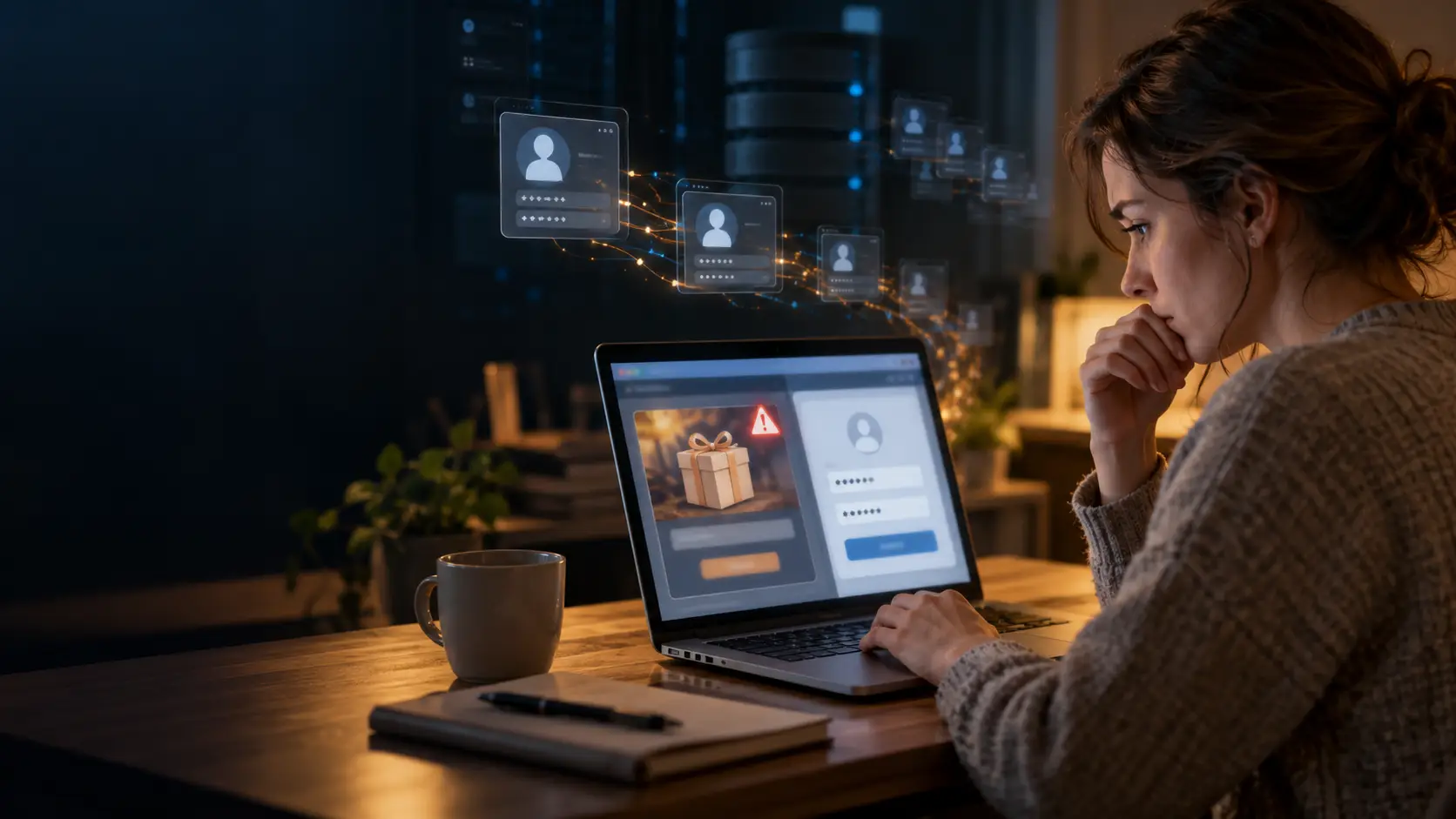
Stolen or reused passwords are one of the most common ways accounts get compromised, and it can happen without anyone “hacking” a person’s device. A fake competition may lead to a convincing sign-in page; a breach at one service may expose a password reused elsewhere; or malicious software may quietly collect passwords and browser sessions. Criminals can then use the information themselves or sell it to other criminals.
What “stolen or reused passwords” means
Stolen passwords
Someone obtains a password without the account owner’s permission, for example through a fake login page, malware or a data breach.
Password reused
The same password is used for multiple accounts. If one service is breached, criminals may try that password on email, social media, shopping, banking and other accounts. This automated method is called credential stuffing. CISA explains credential stuffing, and Have I Been Pwned describes how leaked credentials are reused. If your details have appeared in a breach, our guide to dark web data scams explains what to do next.
One compromised account can therefore become a route into several others, especially if the exposed account is the person’s email, which may be used to reset other passwords.
How competitions and Facebook games can be used to steal information
A competition or game is not automatically a scam. Criminals exploit the format because prizes, quizzes and social games encourage people to click quickly and share details.
1. Fake prize or competition links
A scammer may copy a real company’s logo or giveaway post, then contact people claiming they have won. The link leads to a fake website that asks for information to “verify” or claim the prize. It may request a social-media password, email login, payment details, identity information or a one-time code.
Fake competitions are one of the most common social media scams. The FTC warns that scammers hijack legitimate social-media giveaways and send fake winner messages that seek personal or financial information. A link can also lead to malware. Verify a competition using the company’s independently found website or contact details, not the link or phone number in the message. FTC guidance on social-media giveaway scams
2. Fake Facebook sign-in pages
A game or contest may say that you need to log in to continue. The link can open a counterfeit Facebook sign-in page. If you type your Facebook email and password there, the page sends them to the scammer.
A useful check: if a page reached from a post asks you to sign in, stop and open Facebook through its official app or by typing its address yourself. Be especially cautious if the address is misspelled, unfamiliar or does not belong to the service you intended to use.
3. Quizzes that collect personal clues
A quiz may ask seemingly harmless questions about a first car, school, birthday, favourite team or family member. Some of these details resemble information used in account-recovery questions or help criminals make more convincing impersonation attempts. The FTC says scammers have used quiz answers to try to reset accounts. If an account still uses security questions, treat the answers like passwords: use random answers and store them safely. FTC advice on online quizzes
4. Games and apps asking for excessive information
A game or promotion may ask for details it does not need: a password, one-time code, identity document, payment card or information about friends and family. That information could support account takeover, identity fraud, targeted scams or unwanted marketing.
A legitimate Facebook-connected app should not need your Facebook password typed into the app itself. Facebook’s own login process may display a permissions screen showing what the app wants to access or do. Review that screen carefully and reject requests that seem unnecessary. Facebook also lets users review and remove app permissions, including permissions to post on their behalf. Facebook’s app-permissions guidance
An app authorized through Facebook may receive the specific information or permissions shown during authorization; that is different from giving it the Facebook password. But a fake login page can imitate that process, so check that the sign-in is genuinely taking place through Facebook.
Other ways stolen or reused passwords lead to account takeover
| Method | How it works |
|---|---|
| Data breach | A service is compromised and account data is exposed. What is exposed varies: it may include email addresses, passwords, password hashes or other personal information. Criminals may crack weakly protected hashes or combine data from several sources. |
| Credential stuffing | Automated tools try username-and-password combinations exposed in earlier breaches on other websites, taking advantage of stolen or reused passwords from previous incidents. |
| Password spraying and brute force | Attackers try common passwords against many accounts, or try many possible passwords against one account. These are different from credential stuffing, which uses already-known login pairs. |
| Phishing by email, text, social message or phone | A message or caller impersonates a trusted service and persuades someone to disclose a password or sign in on a fake page. |
| Information-stealing malware | Malicious software can collect saved passwords, browser data, cookies, session logins, messages and files. It may arrive through fake links, malicious ads, fake downloads or pirated software. Australia’s Cyber Security Centre explains information stealers |
| Keyloggers and remote-access malware | Some malware records what a person types or gives a criminal access to the device. |
| Stolen browser sessions | Criminals may steal a browser cookie or session token. This can sometimes let them use an account without entering the password again, so changing the password may need to be accompanied by signing out other sessions. The Australian Cyber Security Centre describes this risk and the resale of stolen data. Its advisory on information stealers |
| Password-reset or recovery abuse | Attackers use stolen personal information, compromised email or weak recovery questions to try to reset an account. |
| One-time-code scams and MFA fatigue | A scammer tricks someone into sharing a login code, or repeatedly sends approval requests hoping the person will accept one. Multi-factor authentication helps, but codes and prompts still need to be protected. CISA’s guidance on phishing-resistant MFA |
| SIM swapping | A criminal persuades a mobile provider to move a victim’s phone number to a SIM they control, potentially intercepting text-message codes. |
| Data sold or traded | Stolen credentials, personal details and malware-collected browser data can be packaged and sold to other criminals. Europol describes a market in which stolen data and account access are sold, resold and repackaged. Europol’s 2025 assessment |
What does “selling your information” mean?
It can refer to several different things, and they should not be confused:
- Criminal sale of stolen credentials: A criminal sells breached passwords, account logins or malware-collected data to another criminal. Europol reports that compromised logins and other stolen data are traded through criminal forums, encrypted channels and marketplaces.
- Sale or sharing of contest data: A real contest promoter may collect entrants’ details for marketing or share them with partners, depending on its terms and applicable privacy law. The FTC notes that entering contests can lead to more promotional messages and targeted advertising. This is a privacy concern, but it is not automatically the same as a password theft or criminal breach. FTC guidance on prize scams and contests
- Public oversharing: Posting phone numbers, addresses, birthdays or personal clues publicly can help someone target or impersonate you, even if no password was directly exposed.
A breach notice also does not necessarily mean that stolen or reused passwords were exposed in readable form. The specific data involved matters. But if a password was used on the affected service, it should not be used again, especially on important accounts.
Why the email account matters so much
Stolen or reused passwords are most dangerous when the email account is involved. Email often acts as the recovery channel for other services. If a criminal gets into it, they may be able to request password resets, read private messages, find invoices and impersonate the owner. Secure email first, then other important accounts such as banking, cloud storage, social media and government services.
How to protect your accounts from stolen or reused passwords
- Use a different, unique password for every account. A password manager can create and store them.
- Turn on multi-factor authentication (MFA), especially for email, banking, social media and work accounts. Prefer a passkey or security key where available; an authenticator app is generally preferable to SMS when those are the available choices. CISA explains why MFA helps.
- Never give a competition, game, caller or message your password, one-time code, backup code or password-reset link.
- Open the service directly through its official app or a known address instead of using a sign-in link in an unsolicited message.
- Check the app name, developer and requested permissions before connecting a game or service to Facebook. Remove apps you no longer use.
- Avoid unofficial or pirated game downloads and “cheats,” cracked software and suspicious browser extensions.
- Keep your device, browser and security software updated.
- Don’t use real answers to security questions if an account allows you to choose them. Store random answers in your password manager.
- Check for breach exposure through a reputable service such as Have I Been Pwned. Never enter your current password into a random breach-checking website. HIBP’s password-checking service uses a method designed so the full password is not sent to the service. Details on its privacy method.
If you suspect stolen or reused passwords have been used to access your account
- From a trusted device, open the service through its official app or typed address.
- Change the affected password to a new, unique one. Change it anywhere else it was reused, starting with email.
- Sign out of other sessions and devices; review recent logins, recovery email addresses, phone numbers, connected apps and forwarding rules.
- Turn on MFA and replace any exposed backup codes.
- If the device may have malware, use a different, trusted device for password changes and get the affected device checked.
- Warn contacts if your account sent unexpected links or messages. Our checklist on what to do immediately after being scammed and how to report a scam in South Africa covers the next steps if money or identity details were lost.
- Contact the relevant service through its official support channel. If financial or identity information was exposed, contact your bank and the appropriate identity-fraud or consumer-protection authority in your country.
For a compromised Facebook account, Facebook directs users to its official recovery page at facebook.com/hacked. Facebook’s account-recovery guidance
The central lesson: competitions and games are often the lure, but the underlying risk is broader: stolen or reused passwords, personal details and live account sessions can be collected through deception, breaches or malware, then reused or sold. Use unique passwords, enable MFA, and never enter credentials through a link you have not independently verified.
Not sure whether a competition, store or sign-in page is genuine? Before you enter any details, run the website through our free Quick Check. For a larger purchase or an unfamiliar business, a Comprehensive Report looks at the business behind the website, with every finding linked to its source.
Check before you pay
About to pay a seller or business you don’t know? Start with a Free Quick Check of the advert link. It screens for common warning signs and shows where each result came from.
If you need the seller researched, a Quick Report or Comprehensive Report brings together source-linked Search Results on the seller and the offer. Neither gives a verdict: you check the sources and decide for yourself.
This article provides general security-awareness information, not legal or IT advice. Recovery steps differ by service, so follow each provider’s official instructions. Sources are linked beside the claims they support and were checked in October 2026.